

Message us and we’ll get back to you quickly 21-day trial | no payment required
On-screen duress software for clinics, offices and frontline teams.
Duress Alert
Windows & Mac

Panic button clients for Windows and Mac workstations.

Windows clientMac client
TriggersOn-screen button, tray, hotkey, USB button (with unplug warning)On-screen button, menu bar, hotkey, USB button (with unplug warning)
InstallSilent MSI via GPO / Intune / RMM, pre-configured by the server; documented MSI properties for name, server, port, hotkey, popup, sound, webhooks and escalationProvisioning bundle prepared by the server, applied at first launch; self-install packages
Certified onWindows 11 · RDS on Windows Server 2025Current macOS release
Typically also runs onTell us your fleet and we’ll confirmRecent macOS versions (tell us your fleet)
Shared/remote desktopsRDS / published desktops supported,
Alert pathYour local network only (default TCP 8001)Same, identical local path

Mixed fleet? One workflow. The receptionist on Windows and the practice owner on a MacBook see the same alert at the same moment.

No server hardware. Duress Alert runs on any Windows PC you already leave on, your reception or practice-management machine is perfect. Alerts travel over your own network, so they keep working even when the internet is down.

Duress Alert warns on screen the moment a USB button is disconnected, and confirms when it’s reconnected, so you never discover a dead button during an emergency.

Prices in AUD. In the UK, USA, Canada or Europe? See local pricing: UK · USA · Canada · Europe.

Is a duress alarm the same as a panic button?

In Australia, “duress alarm”, “duress button” and “panic button” are used interchangeably. Duress Alert is the same product whichever term your policy uses.

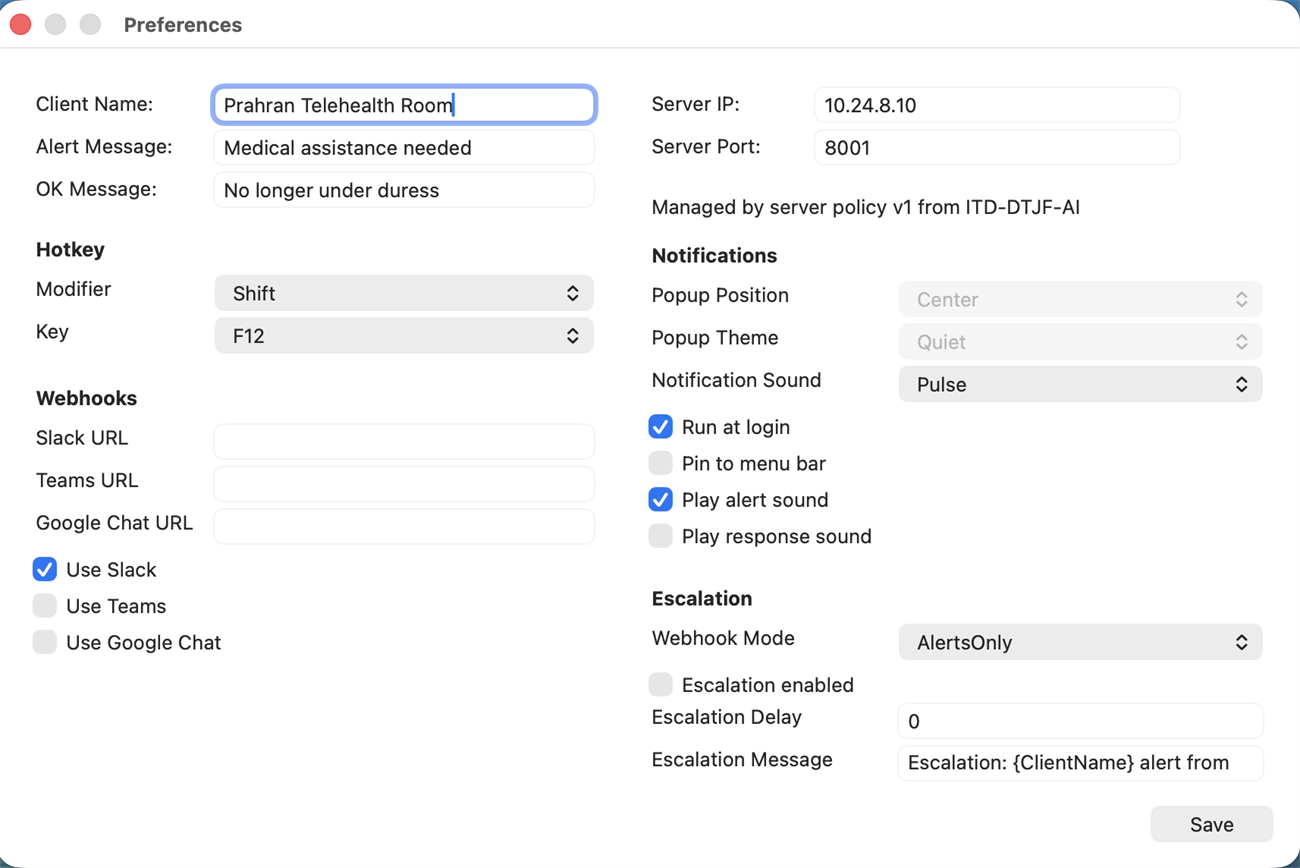
The same client, configured on Mac

Duress Alert preferences on macOS showing the room name, server address and port, alert and all-clear wording, hotkey, notification and webhook settings.
Name the room, set the wording staff see, point it at the onsite server, and see which settings the server policy manages.

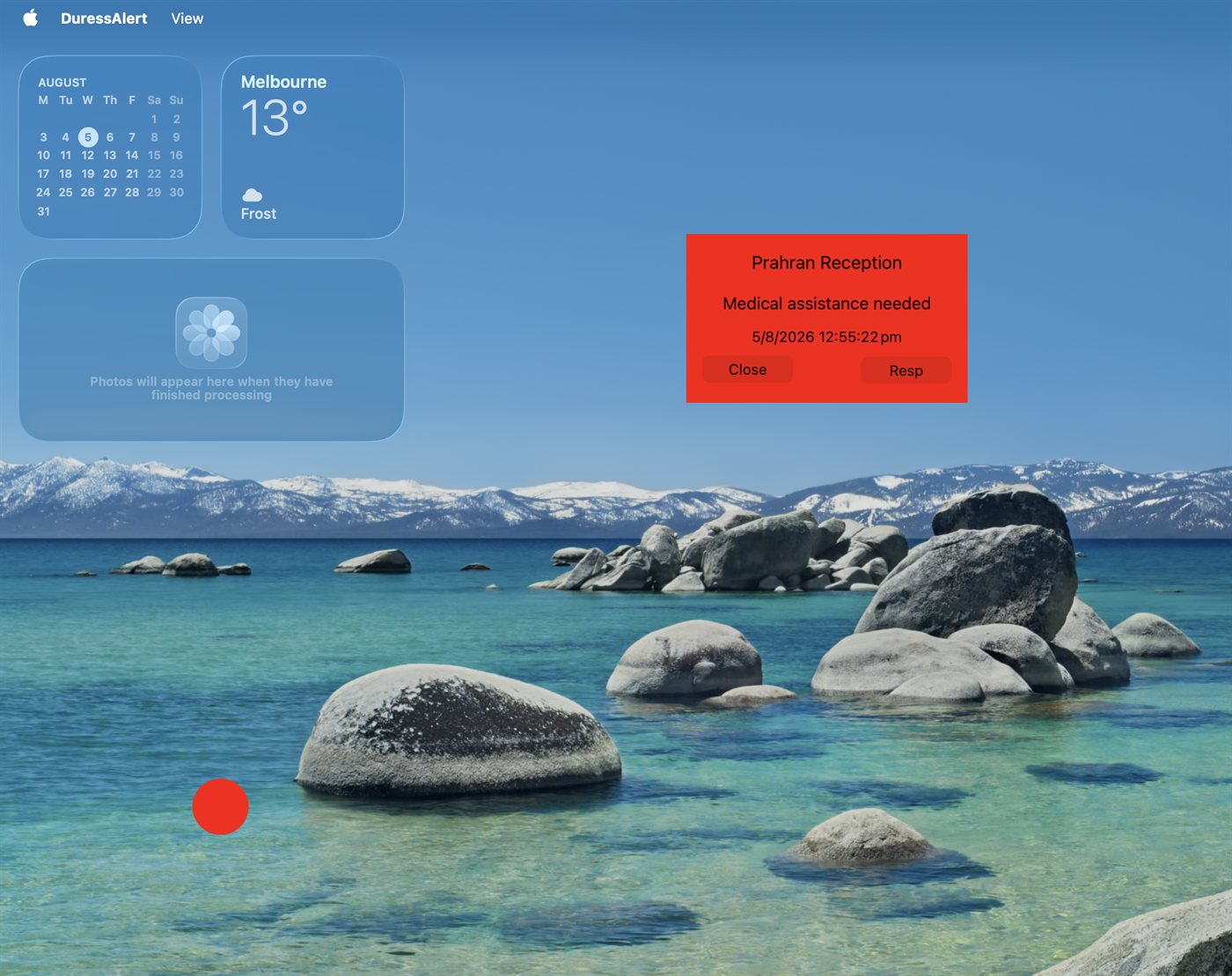
A live alert on a Mac desktop

Red Duress Alert popup on a Mac desktop identifying Prahran Reception with the message Medical assistance needed.
The alert identifies the workstation that raised it and gives nearby staff an immediate way to respond, exactly as it does on Windows.
Get in touch

Tell us about your site.

Tell us your team size and setting, and we’ll show you how Duress Alert works on your own desks and what a rollout looks like. We get back to you quickly.

One alert, every workstation, Windows and Mac.

Questions? Email us or send us a message, and we’ll get back to you quickly.

IT4GP logo

    Your free 21-day trial covers up to 25 computers. Set it up and roll it out across your site at no cost. Before the trial ends, one of the Duress Alert team will be in touch to confirm whether you want to continue. You can cancel anytime during the 21 days.

    This will close in 0 seconds

    Scroll to Top