


Security review for a duress system that runs on your own computers and network.
Duress Alert is installed on existing workstations and communicates through the customer network to an onsite Duress Server. Staff can trigger the alert from the floating desktop button, tray icon or hotkey; nominated PCs receive the pop-up, a responder acknowledges it, and the event is logged for review. Cloud services support licensing, downloads and reporting, but they are not the first hop for a local alert.
No internet is required for the local response when the onsite server has a valid licence and clients can reach it.
Local trafficClient to onsite serverThe live workflow is a local workstation/server pattern using the computers and network already in place.
Responder confidenceGreen, red and orange statesThe initiator sees ready, help requested and response acknowledged states instead of wondering whether anyone saw the alert.
Audit trailFull duress loggingRaise, response and reset events are recorded so the site can review the incident afterwards.
What happens on the network when someone presses the button.
- 01TriggerThe staff member uses the floating desktop dot, tray icon or configured hotkey.
- 02Route onsiteThe workstation client sends the alert to the onsite Duress Server service.
- 03Notify the teamNominated PCs receive a topmost pop-up showing who needs help and where, according to configured room/user details.
- 04Acknowledge and logA responder accepts the notification, the initiator sees help is on the way, and the incident is retained for review.
The rollout questions are mostly local network questions.
Review where the onsite server will run, which workstations should receive alerts, how room names and users are identified, and whether terminal services or Mac workstations are in scope. Cloud services are still useful for licensing and reporting, but local alert delivery is the part to validate first.
| Question | Practical answer | Why it matters |
|---|---|---|
| Does the alert depend on the internet? | No. The live alert path runs between the workstation clients and the onsite Duress Server. Internet access is used for management services such as licensing, downloads and reporting. | Nearby colleagues can still be notified when the onsite server and local network are available, even if the internet is unavailable. |
| What does IT need to install? | The onsite server and workstation clients need administrator rights for installation. Managed rollouts can use the generated MSI/provisioning packages where appropriate. | This makes rollout planning a normal endpoint deployment task: server placement, workstation coverage, terminal services if required, and change control. |
| What needs to be allowed on the network? | Duress clients need to reach the onsite Duress Server over the customer network. If local firewall rules are enforced, IT should allow the required client-to-server traffic for the configured deployment. | The live alert path depends on local client/server reachability, so firewall policy should be checked before go-live and during workstation onboarding. |
| Should security tools allowlist it? | Yes. Antivirus, EDR, application control and other security controls should allow the Duress Alert server and client components, update path and notification behaviour as part of the approved rollout. | Safety software should not be blocked, quarantined or prevented from showing topmost alerts during an incident. |
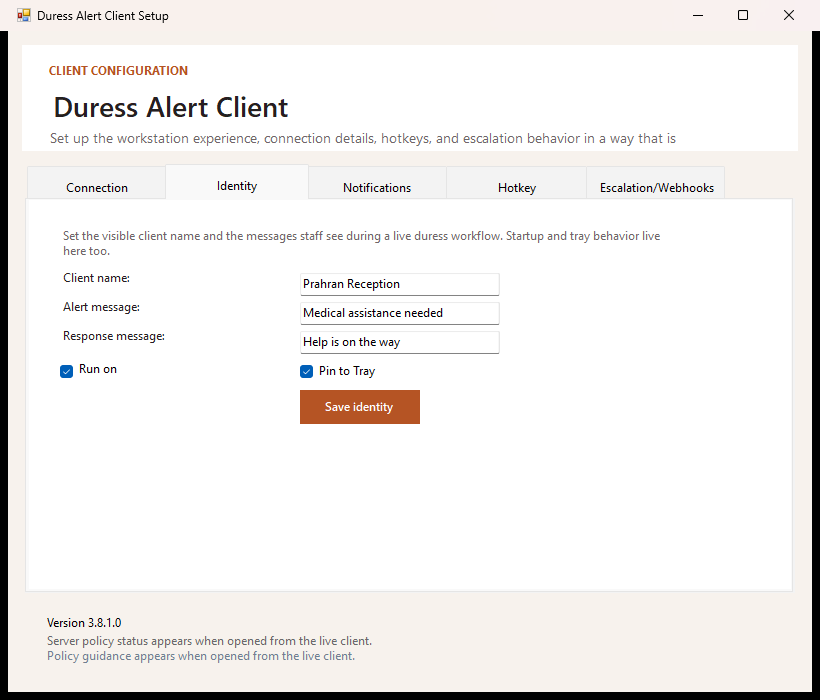
| Is this just a screen-wide alert? | No. The visible alert is one part of the workflow. Duress Alert also supports local server routing, responder acknowledgement, reset flow, incident history and client identity. | Clinics and offices should compare the whole response process, not only whether an alert appears on screen. |
| What other notifications are supported? | The local desktop alert is the primary safety path. Duress Alert can also support SMTP email and Microsoft 365/Gmail email profiles, plus webhook-style providers for Slack, Microsoft Teams and Google Chat where configured. | Email and collaboration-channel alerts are useful for escalation and visibility, but they should supplement the onsite response rather than replace it. |
| What is recorded? | Alert raised, responder acknowledgement, reset and notification outcomes, plus workstation identity such as PC/user/location where configured. | Managers can review what happened without relying on memory after an incident. |
| What uses cloud services? | Licensing, customer portal access, downloads, reporting exports and support administration. | The cloud supports management; it is not the first hop for a local duress alert. |
Signed licensing gives IT a controlled activation model.
The onsite server validates a signed licence bound to the server fingerprint. The licence can include expiry, capacity and feature information. Private signing keys stay cloud-side; installed servers trust public key material.
Server-bound licence checksLicence checks can include signature, expiry, fingerprint and client capacity.
Private keys stay cloud-sideServers carry trust material, not the private signing authority.
Key rotation pathTrusted public-key bundles support emergency rotation and release governance.
Need architecture diagrams, data-flow notes or procurement answers?
Request a practical technical pack with local-alert architecture, cloud-reporting boundaries, deployment assumptions and support for security review.
